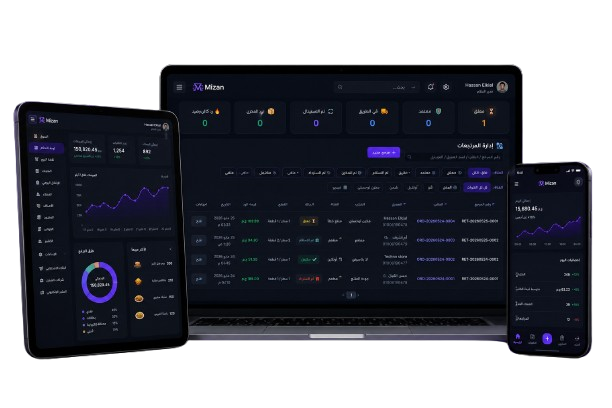
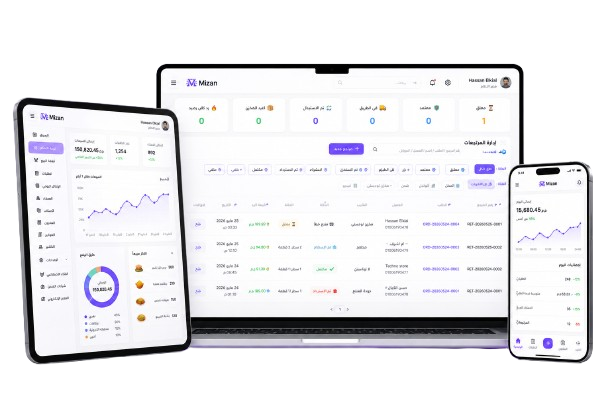
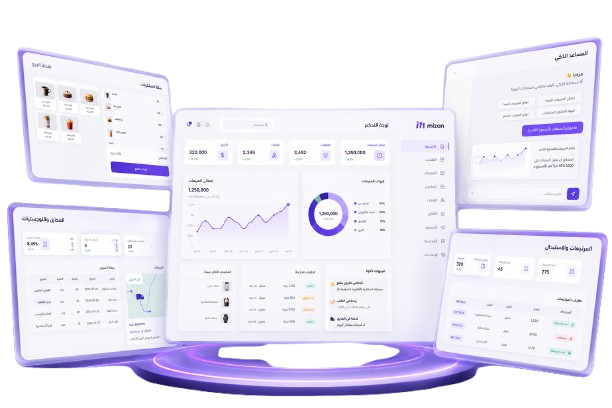
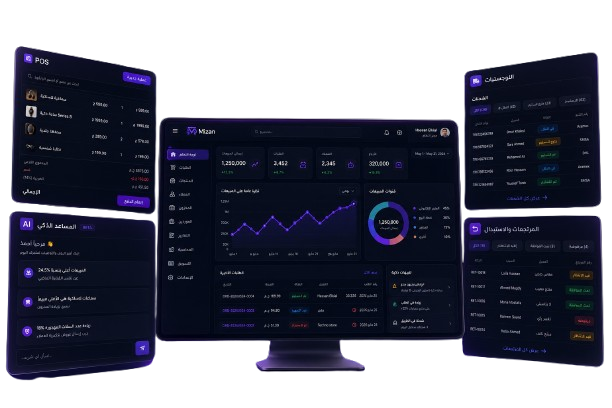
Advanced Strategies for Managing Your Restaurant Using Mizan Platform
Discover how to enhance your restaurant management effectively using the Mizan platform, through advanced technologies and innovative strate…

One platform to sell and run your business
POS and stock, an online store and QR menu, accounting, e-invoicing and payroll —
for shops, restaurants, decor offices, tutoring centres and warehouses, in one place.
Connected platforms — pick the one for your work.
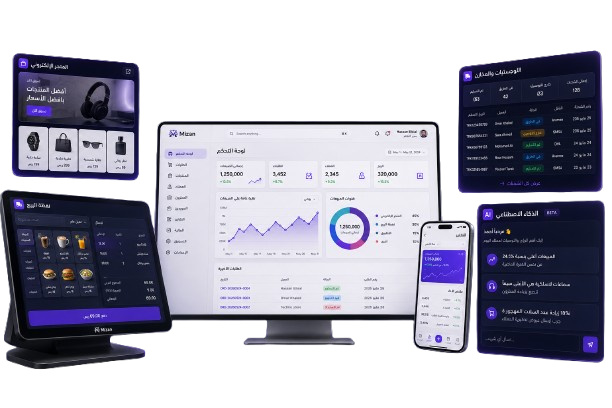
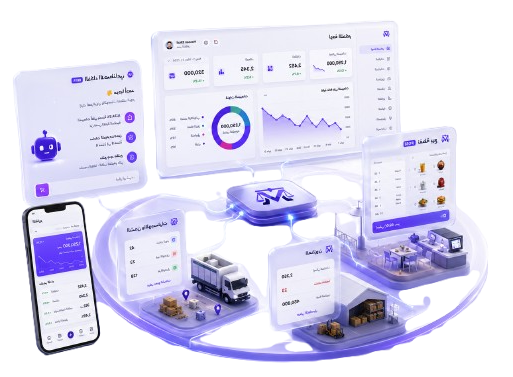
POS, online store, QR menu, the Mizan marketplace and 3PL warehouses — plus branches with their own stock, offers and loyalty points, recipes with plate cost, kitchen stations, floor and waiter service, and drawer shifts with Z reports. For shops, restaurants and online sellers.
Full accounting, ETA e-invoicing, Egyptian payroll, purchasing and BI dashboards — fed by your sales automatically.
A design studio for decor offices and workshops: from room measurements to cut files, plus a 3D showcase buyers order from.
Groups, timetables and attendance, live and recorded lectures, self-marking tests, and portals for students and parents.
A full ticketing system in your own name: a portal where your customers open and follow a ticket, and a desk for your team with categories, priorities, assignment and response targets. Mail leaves from your own server, a knowledge base answers the repeats, and an AI assistant classifies, summarises and drafts the reply — each client with their own control panel, branding and staff.
Subject to the law and not yet open for subscriptions until all legal requirements are met. Not currently authorised for public or private use.
⏳ Coming soonAn Egyptian SaaS platform that brings selling, operations and the books together for every kind of business — pick a group to see its features.
Dine-in, takeaway, delivery and online, with sizes, colours and add-ons — and stock per variant.
A card sale is taken on the terminal first, and the order is recorded only once it is approved for the same amount — a bank terminal by its approval code, SoftPOS apps on the phone, and connected terminals. With a daily settlement of the provider's fee and the net reaching the bank.
Tips are recorded with the order in cash, card or wallet without touching sales or tax, for one person or into a pool shared by the weights you set, paid out from the drawer or by transfer — with what each person is owed in front of you, and posted to the books.
One kitchen, several brands: each item under a brand or shared, a menu and link per brand with its own name and logo, receipts in the brand name, the brand on the kitchen ticket, each brand store on delivery apps pulling only its own menu, and sales per brand.
Buyers install your store as an app with your name, icon and colour: it opens from the home screen without a browser and shows the last page when offline, with an «Install the app» button in the store — plus a Google Play version the Mizan team builds and publishes, with installs and opens counted.
A live map of every driver and the orders they carry; the customer follows the driver arriving on a map right in their own «Order tracking» window (or through a link) with an ETA, and pins their exact spot when ordering or later from the same window. The location is sent only while an order is on its way and stops once delivered — with delivery times and distances per driver in a report.
A table or takeaway guest who scans the QR sees the dishes as big photo slides with prices, auto-playing or swiped, full screen on a tablet, and orders straight from the slide.
Once an order arrives, the customer rates it with stars, a comment and each dish, and the stars of the restaurant show on the menu. The restaurant controls it all: publish or hide, reply, and review before it shows.
The menu shows your dishes in photos between the categories: «Chef pick» with photos that change on their own, «Most ordered» from the last 30 days, and «Goes with your order» — a drink or a dessert not in the cart yet. A long menu stays short: the first items of each category and «Show all».
The driver and the customer call and message each other inside the app — a voice call with no phone credit and without either side seeing the other number, and the restaurant calls its driver from the drivers map. The maps show the real road through the streets with its distance and time.
Every add-on, service and partner app that suits your business on one page in your account: what it does, how it is billed and whether it is on — ask to switch one on in a click and the answer comes back on the same page.
Cash, card, wallet and on-account in one bill; customers settle what they owe later.
Direct thermal printing with proper Arabic receipts, cash drawer, and scales with weight barcodes.
Orders reach the kitchen screen instantly, tables are managed, and guests order and pay from their phone.
Paymob, Fawry, Stripe and cash on delivery, reviews, customer accounts and order tracking.
Every Mizan store in one place by category — buyers find a store and buy from it.
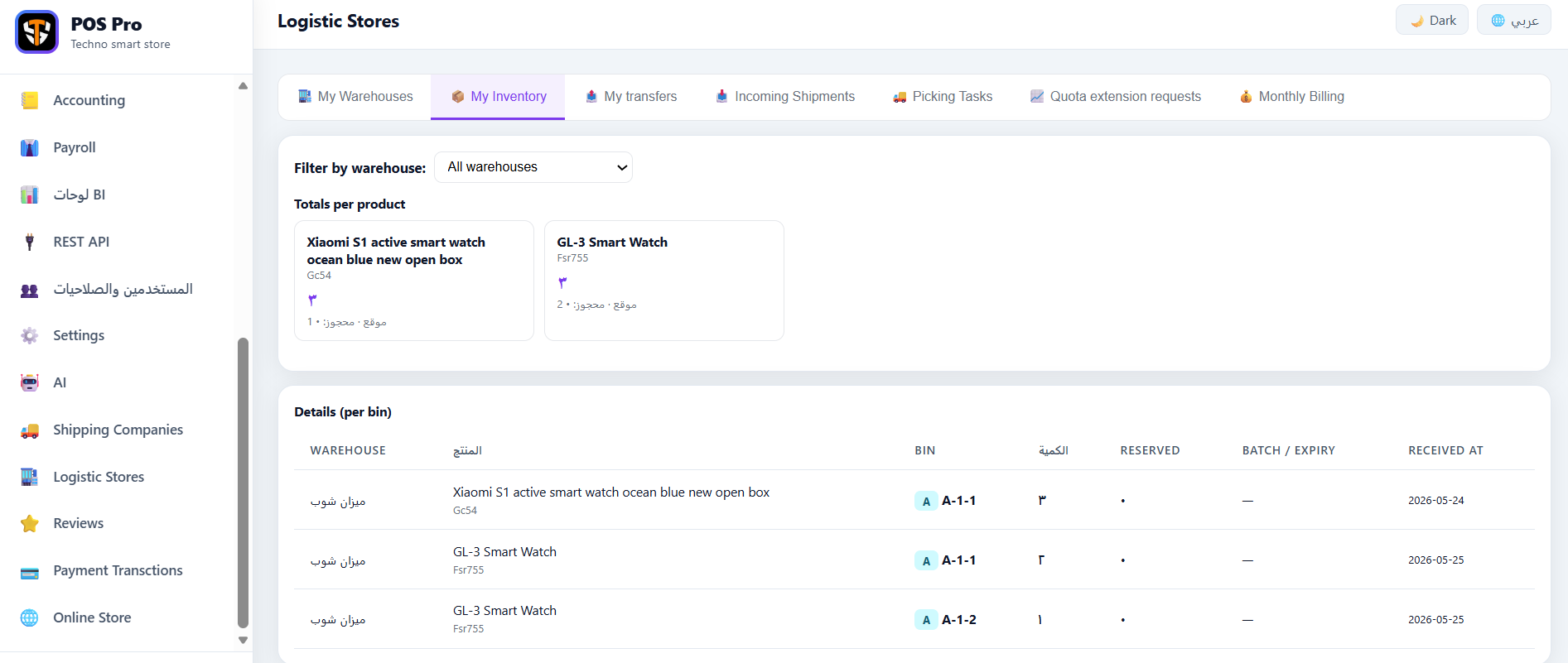
Zones and bins, receiving and routed picking, batches and expiry dates.
Returns and exchanges restock and give store credit; close the day and each shift.
Your own drivers get their app; contracted carriers get their portal and cash handover.
Each branch has its own stock, cashiers and — if you like — its own prices; the owner sees every branch together or one at a time.
Transfers with send, receive and recorded shortfalls, and counts by barcode while you keep selling — differences settle themselves.
Each item has a recipe that takes its ingredients at the sale (add-ons too), batch production for sauces and dough, a waste log, and every plate's cost and margin.
Happy hours and buy-2-get-1 apply on their own, coupons with usage limits, points on every bill, and gift cards you can pay with.
A floor plan by section with every table in its colour: free, busy with its order and time, or reserved. Waiters take orders on their phone, send them to the kitchen and add to them later; bookings keep their times without clashes (and guests can book from the menu); and a screen facing the guest shows the order as it is rung up.
Each dish goes to its station (grill, bar, desserts…); every station has its own screen and printer and marks its part ready, and an expo view shows where each order is — with a target time per station and a report of late tickets.
Each cashier opens a shift with a float, records pay-ins, pay-outs and safe drops, and closes by counting the drawer by denomination — Mizan works out what should be there, the shortage or surplus and a Z report, and posts them to the books.
The till installs as an app on a phone, tablet or computer with its own icon, opens straight on the point of sale — and works with the connection down.
A button on the receipt opens the customer's chat with the message written, and automatic messages from your business number: received, ready, on the way, delivered.
The till keeps taking orders and sends them up on its own when the connection returns.
Egyptian chart of accounts, entries posted from sales, trial balance, P&L and balance sheet, bank reconciliation and fixed assets.
Submit invoices to the Tax Authority and track their status and number — signed with your company token.
Every till sale becomes an e-receipt for the Tax Authority with its QR printed on the receipt, and a refund a return receipt tied to the original. When the connection drops, receipts wait and go out on their own, in order.
A weighted average cost per branch that moves with every purchase bill; cost of sales and count differences post to the books on their own.
Income-tax brackets and 11% + 18.75% social insurance, payslips and an automatic journal entry.
Purchase bills, split supplier payments and payables aging — stock updates itself.
Ready KPIs and charts from your real data, with report export.
A daily digest, alerts and advice from your sales and stock numbers.
Your systems hear about every new or changed order through a signed message, delivery apps (through Deliverect or directly) send their orders into Mizan with nobody retyping them and pull your menu, and shipping orders go to Bosta with their status coming back on its own.
A summary of your sales from the system itself (monthly average, trend, refunds, payment methods), financing partners with their first conditions, and a request that reaches the partner you choose with your consent — the decision and terms stay with the partner.
Connect Mizan to your systems with secure keys, rate limits and a request log.
Hundreds of permissions in ready groups — each person sees only their part.
Room plans and pieces from real boards — paint, shaping, corner units and AI layout ideas.
Cut lists, sheet layouts with the least waste, CNC and laser files, and 1:1 cardboard patterns.
Buyers turn your design in 3D, and your showcase is a full store with online checkout.
Photograph a paper sketch and the AI turns it into a sized design — or trace over it yourself.
A design becomes a priced product, materials leave stock, and deposits get receipts.
Students, teachers, groups and timetables, attendance, and subscriptions opened at the till.
Live classes with waiting rooms and automatic attendance, and a recorded library for paying students.
A «⏺ Record» button in live sessions and in driver and support calls — the file is saved on your own device only, and everyone in the call is told.
Tests that mark themselves, with results for students and parents.
Upload the syllabus book once and split it into units and lessons; AI questions come from a lesson's pages with no re-upload, and students open it from their portal if you allow it.
Every question is filed under its lesson: random papers per lesson, how far each group is through the book, and the lessons each student is weak in, with a remedial paper in one click.
Students ask about a lesson or ask for a summary, flashcards or a practice quiz — answered from the lesson's own pages, with the page number.
Each student and parent has a page: timetable, attendance, invoices and notices.
Every ticket on one screen by status, priority and category, with search, filters and paging, and a ticket holding the whole thread with replies and replies to replies — plus internal notes only the team can see.
Your customer opens a ticket from a page in your name, colour and logo without an account, attaches photos and files, and follows and answers it from the same page.
A target in hours or an end date — from the priority on its own or set by hand — with a progress bar showing what is left, and late tickets standing out.
Assign a ticket to someone, or let Mizan give it to whoever is carrying the least. Put colleagues on CC, on the watcher list or down as owners — and each of them is emailed with every update.
Every notification goes out through your own server — your SMTP or Microsoft 365 with your own Entra app — so the customer gets the reply from you. Each desk has its own settings, so one desk's outage never stops another's.
Articles with categories and drafts and a «was this helpful?» from readers — and the AI assistant turns a solved ticket into an article in one click.
It picks the category and priority on its own, summarises a long thread, drafts the reply, spots duplicate tickets before they are opened, and writes a report of trends, team workload and bottlenecks — all on your own AI quota, and logged.
You decide what your customer is asked: switch off what you do not need, make what matters required, rename any field in your own words — and add your own (an order number, a serial, a branch, a dropdown, a date). What they write shows inside the ticket for your team.
Each desk sets its own branding, mail, single sign-on, staff and their permissions, categories and response targets — without coming back to us.
Counts of open, closed and overdue and the average reply time, an audit trail of every change with who made it and when, and ticket export to Excel or PDF.
Support in Arabic and English, a human when you need one, calls and booked meetings.
Discover our latest articles
 إدارة المطاعم
 Discover how to enhance your restaurant management effectively using the Mizan platform, through advanced technologies and innovative strate…
 التوصيل والشحن
 Discover how Mizan's delegate tracking technology on maps can help improve delivery operations and enhance customer satisfaction in your res…
 المحاسبة والضرائب
 Discover how electronic receipts can enhance accounting accuracy and streamline financial operations in your business.
إدارة المطاعم Discover the steps to create a QR menu for your restaurant easily and effectively to enhance customer experience and service efficiency.
Quick answers to the most common questions from our merchants.
Mizan serves shops and wholesale, restaurants and cafés, online sellers, decor offices, tutoring centres and warehouses — each with its own tailored experience on one platform.
There is a core subscription for POS and stock, and each add-on (accounting, e-invoicing, payroll, decor, academy, 3PL…) is switched on separately and billed by use. Ask for a quote for your business.
Yes — leave your details in the contact form and our team will set up a trial and walk you through it.
Mizan builds the invoice from the sale, submits it to the Tax Authority and tracks its status. Signing uses your company token, as the system requires.
Available with the «ETA e-receipt» add-on: you register the till on the authority's portal and enter its details in Mizan, and every sale gets a receipt with its QR — no token needed — and a refund a return receipt. If the connection drops or the authority does not answer, receipts wait and go out on their own in order; if one is refused, Mizan tells you why so you can fix it and send it again.
Yes. Each branch has its own stock and cashiers, you transfer goods between branches with a send-and-receive note, and a branch can have its own prices. The owner sees all branches or one at a time; a cashier works in their own branch only. The number of branches depends on your plan.
Yes, with the «Promotions and loyalty» add-on: offers that apply on their own (happy hour, buy 2 get 1, a category discount), coupons with overall and per-customer limits, points on every bill to spend later, and gift cards. The cashier sees the discount before payment.
Yes, with the «Advanced kitchen» add-on: you create stations and choose which category or dish goes to each. Every station opens its own screen, prints its tickets on its own printer and marks its part ready — the order is ready once every station is done. There is also an expo view and a report of each station's average time.
Yes, with the «Dining-room service» add-on: the waiter opens the waiter screen on their phone, picks the table on the floor plan and sends the order straight to the kitchen; if the guest orders more it is added to the same table and the kitchen gets only the new dishes. Payment is taken at the till at the end.
Yes, with the «Shifts and cash drawer» add-on: the cashier opens a shift with the change in the drawer, and any cash in or out is recorded with its reason. At closing they count the drawer (by denomination if they like) and Mizan shows the expected cash and the shortage or surplus on a Z report — and you can make the close blind so the cashier doesn't see the expected cash before counting.
With the «Integrations» add-on each delivery app gets its own address to send orders to, through Deliverect or directly in Mizan's format: the order reaches the till and the kitchen on its own, is never created twice, and the channel pulls your menu with its prices. A direct link with each app follows your contract with it.
Yes, with the «WhatsApp» add-on: the receipt of any order with the customer's number has a button that opens their chat with the message written, and once you link your WhatsApp Business number the messages go out on their own: received, ready, on the way and delivered.
Yes, with the «Card terminals» add-on: the bank terminal you already have works today — the cashier enters the approval code and the last 4 digits, and the order is recorded only once the payment is confirmed for the same amount. SoftPOS apps on the phone and connected terminals are linked under your contract with the provider, and each day you get a settlement with the fee and the net.
Yes, with the «Tips» add-on: the cashier adds the tip with the order (cash, card or wallet) for one waiter or into the pool, and it never enters the bill total, sales or tax. At the end of the day or week you share the pool among those who worked by the weights you set, and pay each person what they are owed from the drawer or by transfer.
Yes, with the «Multiple brands» add-on: each item sits under a brand or is shared by all, the cashier picks the brand above the items, the receipt carries the brand name and logo, and the kitchen ticket its name. Each brand has its own menu link, each brand store on delivery apps takes only its own items, and there is a sales report per brand.
Yes, with the «Centre app» add-on: the academy and the student and guardian portal install from an «Install the app» button (on iPhone from «Add to Home Screen») as an app with the centre name and icon, opening without a browser on courses, the timetable, attendance, marks and live lectures. The centre team installs the dashboard as an app with no add-on.
Yes, with the «Store app» add-on: buyers tap «Install the app» in your store (on iPhone, Add to Home Screen) and your store becomes an icon with your name on their phone, opening without a browser. For a Google Play version, the Mizan team builds and publishes it on your account.
Mizan is not a lender. With the «Merchant financing» add-on we prepare a summary of your sales from your own numbers, you see the available financing partners and their first conditions, and if you ask we send your request with the summary to the partner you choose, with your consent. The decision and terms stay with the partner.
Yes, with the «Driver tracking» add-on: the driver taps «Start delivery» in their app, their position shows on your live map with the orders they carry, and the customer watches the driver arrive on the map in their own «Order tracking» window with an ETA (phone orders get a link). The location is sent only while an order is on its way and stops once delivered, and customers can pin their exact spot when ordering. The driver app must stay open during the delivery.
From the «Add-on store» in your account: you see every add-on and service that suits your business, what it does and how it is billed, and tap «Ask to switch on». The Mizan team comes back with the price and switches it on, and the answer shows on the same page.
Yes — the till keeps taking orders and sends them up on its own when the connection returns.
Yes — direct thermal printing from the browser with Arabic receipts, the cash drawer, and weight-barcode scales.
Yes — Mizan gives you a store on your own domain or a QR menu, and your store also appears in the Mizan marketplace.
Each business’s data is kept apart, every staff member has their own permissions, and payments are confirmed with the gateway itself.
Fully in Arabic and English, and built for Egypt: 14% VAT, the pound, Paymob and Fawry, and Egyptian payroll.
Yes — that is Mizan Desk, and it is sold on its own: we open a ticket desk in your name, colour and logo. Your customer opens a ticket from your own page without an account, follows it and replies to it, while your team works from a desk with categories, priorities, assignment and response targets, and notifications go out through your own mail server. You do not need a till or a store — this is an account type in its own right.
From the desk control panel you add your people and put them in groups: account owner, support supervisor, support agent. An agent sees and answers the tickets assigned to them; only a supervisor can edit or delete a colleague's reply with no time limit — an agent has fifteen minutes on their own. Who opens the dashboard and who sees every ticket is set the same way.
Yes, from «Ticket form» in the desk. Every field that comes with the system can be switched off if you do not need it, made required, or renamed to the words your customers use. You can add your own — an order number, a serial, a branch, a date, a dropdown, a checkbox — and say which are required. Only the subject and the description cannot be switched off (a ticket cannot exist without them), though you can still rename those. Whatever a customer writes in your own fields is shown inside the ticket for your team.
It classifies a new ticket and sets its priority, summarises a long thread, drafts a reply for the agent, spots duplicate tickets before they are opened, writes a knowledge-base article from a solved ticket, and reports on trends and team workload. All of it runs on your account's AI quota and every call is logged with its token count — and you never supply an OpenAI key of your own.
Start with the core and add only what your business needs — you pay for what you use.
Till, products, stock, customers, reports and permissions.
Monthly subscriptionStock per branch, transfers, barcode counts, branch prices and cost of sales in the books.
Monthly + per branchRecipes that take ingredients at the sale, batch production, waste, and plate cost with margins.
Monthly add-onFloor plan, waiter screen, bookings (from the menu too) and a customer display.
Monthly add-onKitchen stations with a screen and printer each, dish routing, an expo view, target times with a performance report, and ticket recall.
Monthly + per stationA shift per cashier with a float, pay-ins, pay-outs and safe drops, blind close, X and Z reports.
Monthly add-onAutomatic promotions, coupons, loyalty points, gift cards and paying with store credit.
Monthly add-onA store on your domain or a QR menu, with online payment and delivery.
Switched on with your planAutomatic entries, financial statements, bank reconciliation, fixed assets.
Monthly + per journal entrySubmit and track your invoices with the Tax Authority.
Monthly + per invoiceAn e-receipt with QR for every till sale, return receipts, and automatic sending even after an outage.
Monthly + per deviceIncome tax, social insurance and payslips.
MonthlyPurchase bills, suppliers and what you owe them.
MonthlyReady KPIs and charts, plus an AI daily digest and advice.
Monthly add-onSigned webhooks, orders in from delivery apps (Deliverect-compatible), and shipping and tracking with Bosta.
Monthly add-onCard payment confirmed on the terminal before the order, SoftPOS, connected terminals, and a daily settlement.
Monthly + per terminalA live driver map with the real road, the customer follows the driver, the exact customer spot, an in-app call and chat between driver and customer, and a delivery report.
Monthly add-onTips with the order kept out of sales and tax, a pool shared by weight, and payouts from the drawer.
Monthly add-onOne kitchen, several brands: a menu, receipt, kitchen ticket, delivery store and sales per brand.
Monthly + per brandYour menu, store and public pages in your name only, without the «Powered by» line.
Monthly add-onThe academy and the student and guardian portal as a phone app with the centre name and icon.
Monthly add-onYour store as an app on the buyer phone with your name and icon, and a Google Play version.
Monthly add-on (+ Google Play version)Your sales summary for financing partners and a request with your consent — the partner decides.
By agreementA WhatsApp button on the receipt, and automatic order-status messages from your number.
Monthly add-onConnect Mizan to any other system.
Monthly + usageDesign, cut files and the 3D view.
3 tiers: Basic · 2D · 3DCentre management, lectures and tests.
3 tiers: Basic · Pro · PremiumA ticket desk and customer portal in your name, response targets and assignment, mail from your own server, a knowledge base and an AI assistant.
3 tiers: Basic · Pro · PremiumStore and pick your orders in Mizan warehouses.
Per unit and storageShip your orders with Mizan’s contracted partners.
Per order and weightPricing depends on your business and the add-ons you switch on — ask for a quote and we will get back to you.
Request a quoteUseful files and documents available for everyone.
Leave your details and we will get back to you shortly.